
What is a stand-up bot?
You must be familiar with daily stand-up meetings. They are usually conducted physically or virtually over a video conference tool. Stand-up bots exist to make this process easier. Stand-up bots allow you to conduct automated daily stand-up meetings for your team, but on text.
The fact that they are conducted via text implies that they must be run on messaging portals. So, they integrate themselves into communication platforms like Slack, Microsoft Teams, Google Chats, and Webex, among others. Today, we’re going to be talking about the best stand-up bot for your engineering team on one of the best collaboration tool: Slack.
The best Slack stand-up bots at a glance
Factors to consider when choosing a stand-up bot for an engineering team
Figuring out the right stand-up bot from the available stack of bots can feel overwhelming. Start by breaking the task down into the elements you want in the stand-up bot for your engineering team. But what must absolutely be considered? Let’s check it out.
Factor #1: Can I customize the features according to my team’s requirements?
Probably the most important criterion you must look out for is whether the stand-up bot gives you the liberty to create your stand-ups the way you want to. Because each team has unique needs and requirements. You may want to tailor the timing and frequency of stand-ups or want a desired number of reminders. More importantly, you must check if you can edit the stand-up questions to suit your team’s requirements.
Factor #2: Does this bot have all the features I am looking for like, user timezone, chat-based standups, etc.?
Investments are only right when you are assured of the desired returns. So, why not invest in a stand-up bot to see if you’ll find your desired features in it? Start by creating a checklist of the features you need from a stand-up bot. Then, compare your list with the features offered by the stand-up tools you're considering.
Chat-based standups? - checked! User timezone? - checked! Multiple reminders? - checked!
Factor #3: Does it have sufficient how-to guides and quick customer support?
Another factor on your mind while looking for the right stand-up bot for your team must be whether the tool has a source of documented guides to make using the features easier. This is important so that your team knows they have support at hand if they are unable to understand feature usage. Looking a mile ahead, it will also do you good to check how prompt the customer support is.
Factor #4: Will the pricing of this bot become expensive if I hire more team members in the future?
The company budget is fixed. So, find out if the increase in the number of users is directly proportional to the increase in the amount spent on the stand-up tool. If it is so, see if the increase in the desired team size fits your budget. Are there any other pricing options? Is there a flat rate?
Factor #5: Does the stand-up bot have a free trial?
All checked and finalized, but if you or your team finds the stand-up tool difficult to use, it isn’t going to help, right? This is why it's always a good idea to start with a trial plan. This will give you a chance to see if the app has user-friendly features such as answer buttons for convenience, tooltips throughout the app for easy understanding of its features, and an intuitive interface for simple navigation.
What are the best Slack stand-up bots for an engineering team?
#1 Sup Stand-up bot
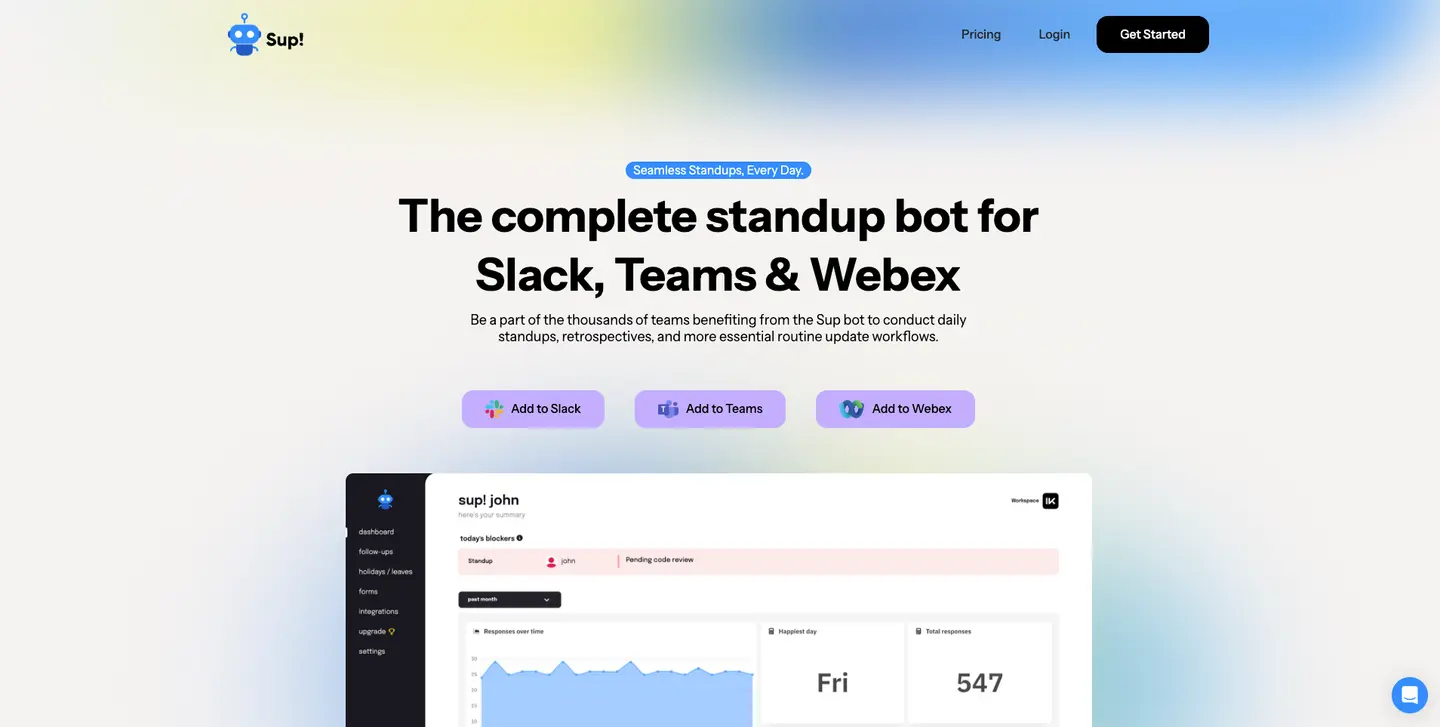
The Sup stand-up bot comes stacked with powerful features that make its automated asynchronous stand-up meetings a strong ally to your engineering team’s workflow. With a Capterra rating of 4.9, the additional abilities it bestows you with only make it a star contender in our list of stand-up bots today.
 Add to Slack
 Add to Teams
 Add to Webex
Who is it best for?
Sup is great for businesses of all sizes - small, mid-sized, or large. This is because it is adaptable enough for businesses with various budgets to use. It is as suitable for teams working in offices as it is for hybrid or remote teams. Therefore, it is right for your engineering team to work together and spread across different timezones.
Key features
- Access to unlimited stand-ups and stand-up responses.
Sup gives you access to an unlimited number of stand-ups. This means you can run separate stand-ups for separate engineering teams, grouped according to the projects they are working on. To make coordination and synergy even easier, Sup allows your engineering team an unlimited number of stand-up responses. - A free plan for smaller teams of up to 15 members
Sup makes it easy for you to use its features even if your team has a limited budget-it offers a free plan that caters to up to 15 members. So, even if your team is at a nascent stage with constrained resources, you can run an automated stand-up for your team and bring about great efficiency. - A range of scheduling options - weekly, bi-weekly, and monthly
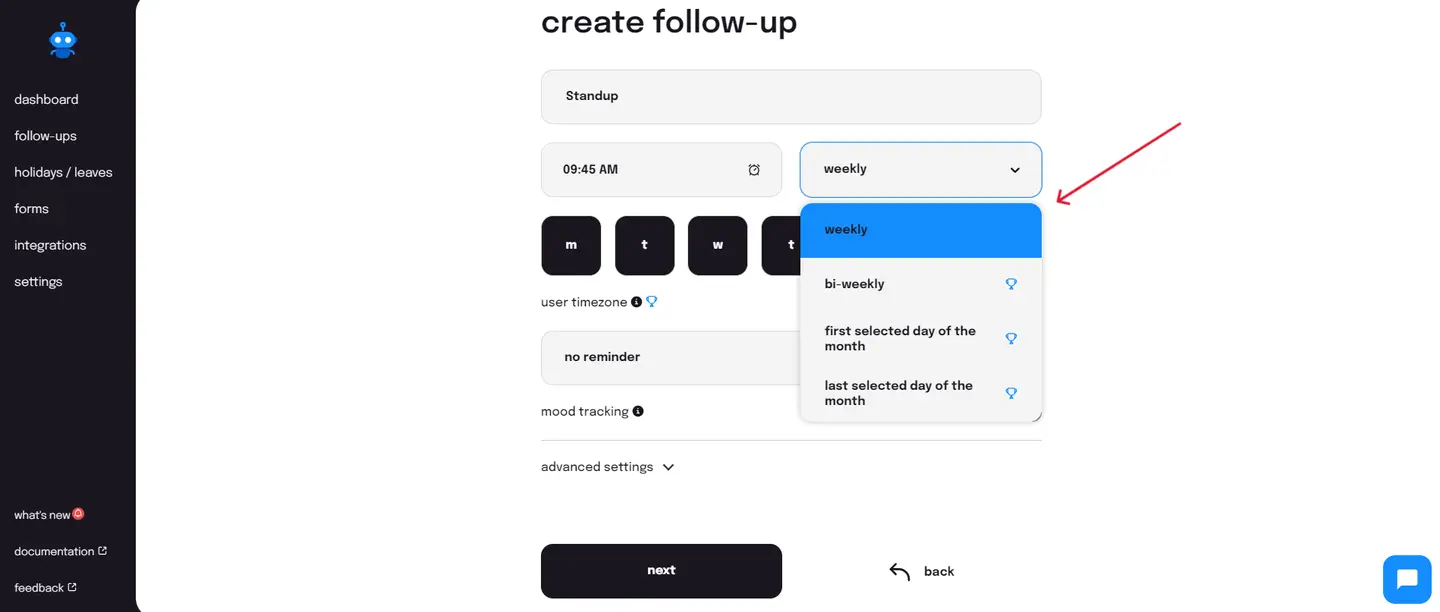
Sup understands that each engineering team comes with its own unique time management needs. This includes the frequency at which stand-up meetings are held. This is why it allows you to personalize the cadence of your stand-up meetings. You can choose from several scheduling options on Sup-weekly, bi-weekly, the first selected day of the month, and the last selected day of the month-to optimize time management.
- Stand-ups in the user time zone
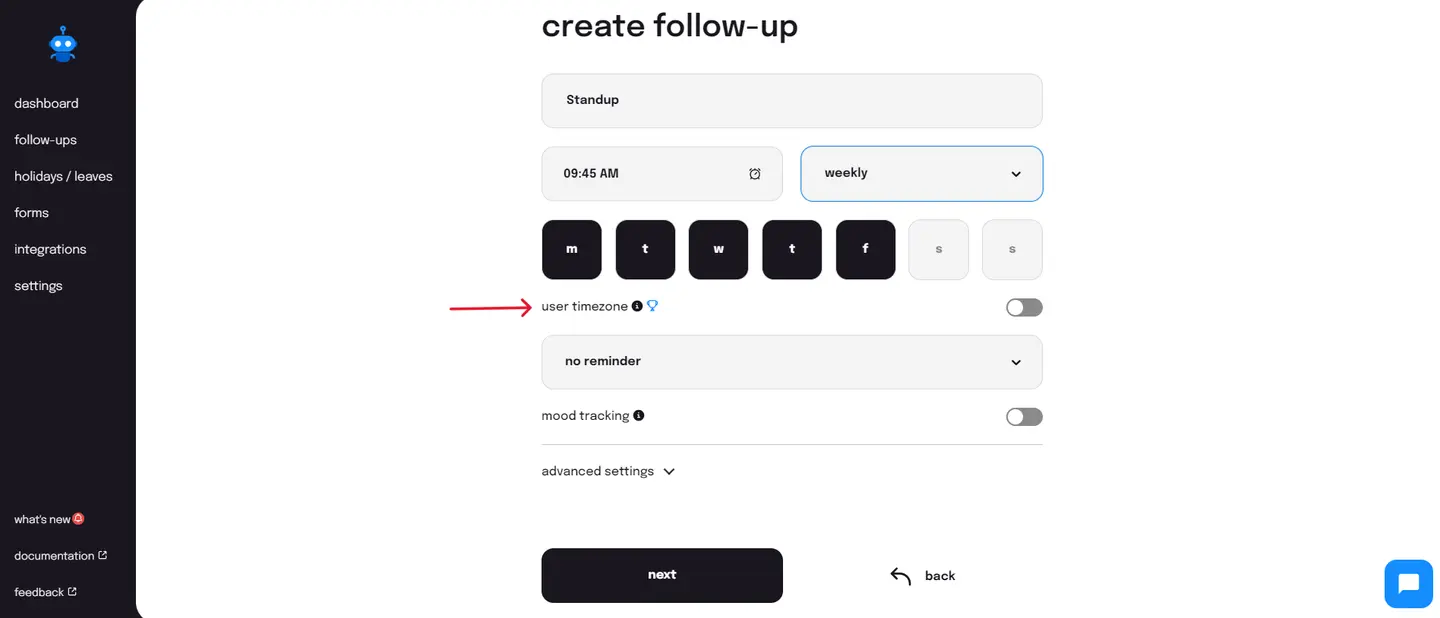
If you have a multicultural team, Sup has just the right feature for you up its sleeve - user timezone. With this feature, you can conduct stand-ups at a predetermined time but in different timezones; your team members will respond to the bot at the time you specify but in their local timezone. This relieves your team members working from different timezones from the need to respond to the stand-up questions at odd hours of the day.
- Team mood tracking integrated into stand-ups
An Oxford study concluded that happy employees are 13% more productive. Sup too recognizes this and thus integrates mood tracking within its standups. From displaying average team mood on its daily standup summary to letting you know what the happiest day of the week was for your team, it helps you to identify when your team is in high morale (and thus more productive) and when it might need a push of motivation. - Stand-up reminders - periodic reminders and custom reminders
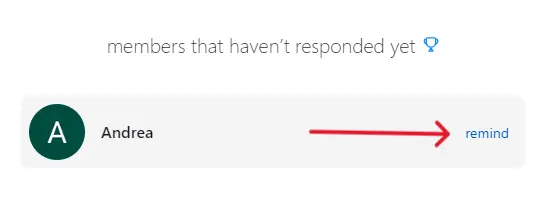
On days that your team members miss responding to the stand-up questions, Sup sends reminders to them and ensures that you do receive the stand-up responses. It does so by allowing you access to periodic and custom reminders. Periodic reminders send automated reminders (once, twice, or thrice) after a set duration of time (15 minutes, 30 minutes, or 60 minutes).
- Response time - receiving responses immediately or at a scheduled time
Sup allows your team members to send the stand-up responses to the designated channel according to your requirements. You can either choose to receive them instantly when a team member has responded to the stand-up questions or at a scheduled time, when you think all responses will be submitted. - Response view - viewing stand-up answers as individual messages or as threaded messages
Sup gives your team the liberty to view the responses in two ways-you and your team members can either view them as individual messages or in a Slack thread. While individual stand-up messages speak to simplicity, they may be difficult to locate once your engineering team starts a discussion in the same Slack channel. Threaded messages make it convenient to find and view all responses under one message. - Access control for managers to create, edit, and view standups
Sup provides you the ability to restrict access to the creation, modification, and viewing of stand-ups to yourself or the ones you assign the role to. The authorized access provides your stand-ups and their data with a tight layer of security. The restricted access ensures that data is not tampered with, nor is there any accidental removal of data. - Customizable questions - add, remove, edit, re-order, mark required or optional
The stand-up questions are usually three and standardized in their phrasing. But they need not always be. Sup offers personalization of your stand-up questions the way you need them for your engineering team. You may want to add a relevant question, remove a redundant one, modify a question to reflect your team culture, rearrange the set of questions according to your preference, or mark them as required or optional as per your team’s needs-Sup allows it all. - Customizable answer options - text, number, options, and date
Sup also permits you to make the question type as per your requirements. You can choose to have a question that allows simple text as its answer. For times when you want a numeric response, choose the number answer type. In case you wish to know the timeline of a task, simply go for the date answer type. And when you want to give options for answers to a stand-up question, select the option answer type. - Customizable pre-submission and post-submission messages
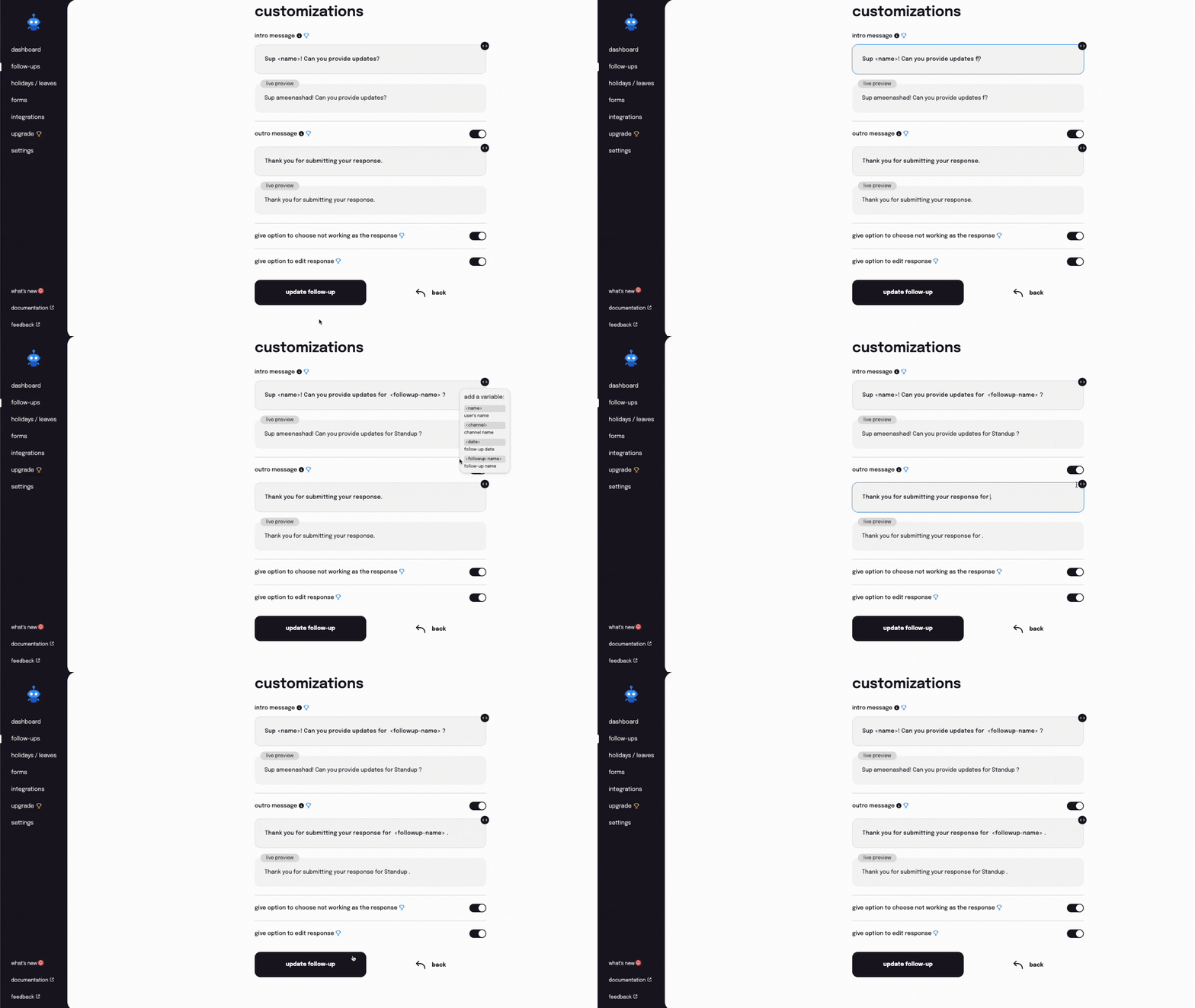
A hello and a good-bye never harmed anyone but only brought in positive vibes. Sup understands the power of greetings, which is why it never asks your engineering team stand-up questions abruptly. It comes with customizable intro (pre-submission) and outro (post-submission) messages. So, your team members get a heads-up when it is time for them to answer the stand-up questions and receive an assurance that their response was successfully submitted.
- Generation of reports - single or separate tabs for user data
You will need a collective view of all stand-up data for various purposes, be it for insights into patterns or performance evaluation. Sup provides you with the ability to do so by allowing you to generate reports with all stand-up responses in Excel format. You can even choose to view the stand-up data for all team members in a singular tab of Excel or for separate team members in separate tabs of Excel. - Advanced filters for viewing and generation of stand-up reports
Sup refines the process of generating reports by providing you with advanced filters. You can select single or multiple team members for whom you want to view the stand-up data. You can even select the period (with the start date and the end date) for which you wish to generate the report. These filters make it easy for you to sort and glance through the available data as and when required. - Manual pause of stand-ups for all stand-up participants
With the ability to run an unlimited number of stand-ups, you might be running separate stand-ups for teams assigned to separate projects. For times when the project has hit a bump, you do not need to completely delete the stand-up. You can simply pause it temporarily until it resumes. Sup allows you to do so with its ‘deactivate’ feature for stand-ups, which can be activated again. - Automated pause of stand-ups on individual and team holidays
Sup enables an automatic pause on all stand-ups when your team members are away from work-be it for personal reasons or because of team holidays. So, your team members never receive a stand-up notification while on leave. This is made possible because Sup fuses its stand-ups with another of its core features-holiday/leave management. This makes it easy for you to manage your stand-ups for team members on leave. - Visual statistics and insightful analytics
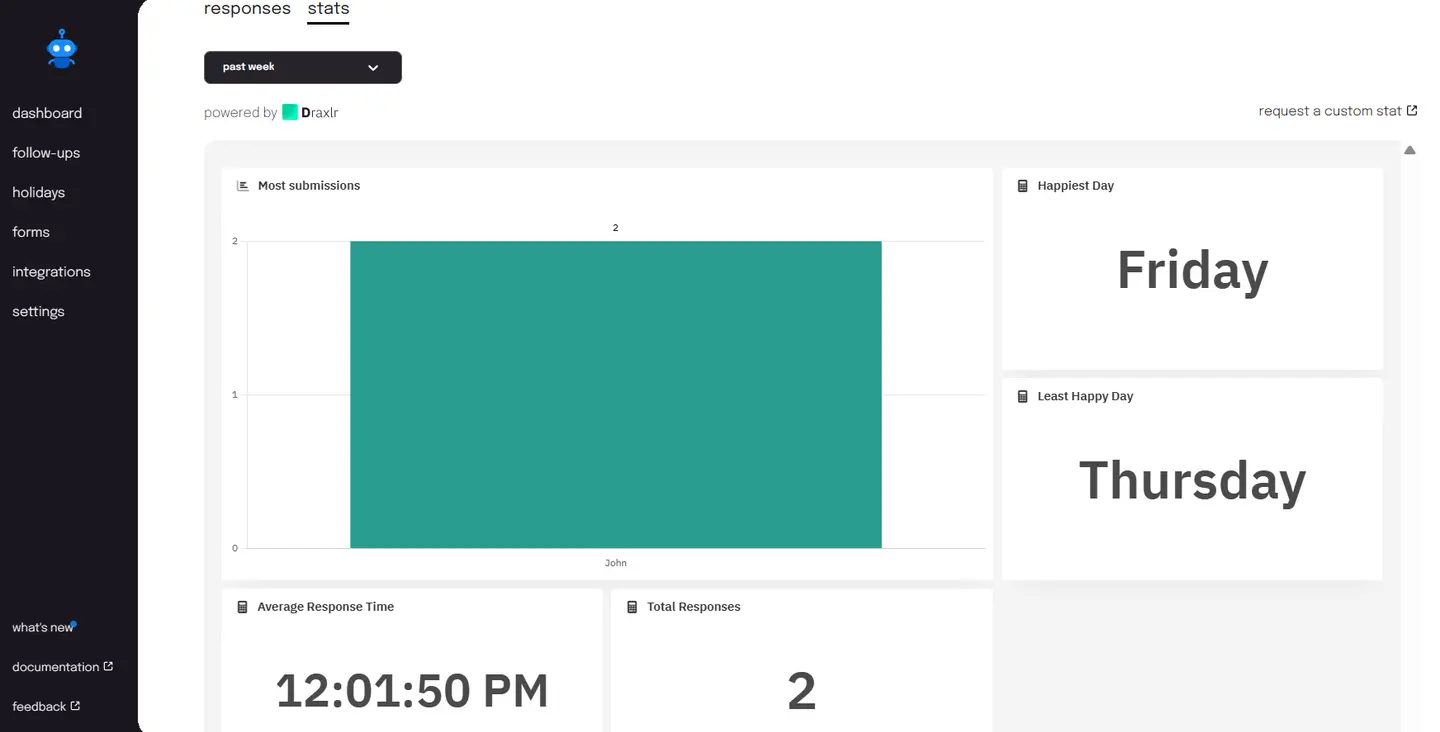
Sup not only gives you access to data in tabular form in its reports but also in a visual form, such as statistics and analytics. It gives you a visual representation of the number of stand-up submissions by your team members (for you to ascertain who feels the most accountable for his work) and indicates the least happy workday (to identify when your team would need an activity to get it powered up), among others.
- The ability to sync stand-ups with Google Sheets
Sup grants you the power to sync your stand-ups with Google Sheets. The integration allows the automated creation of monthly stand-up timesheets that give you a detailed view of what all your engineering team worked on in a specific month. The automation makes the process of generating timesheets simple without needing you to manually create and download them at the end of each month. - An array of follow-up templates
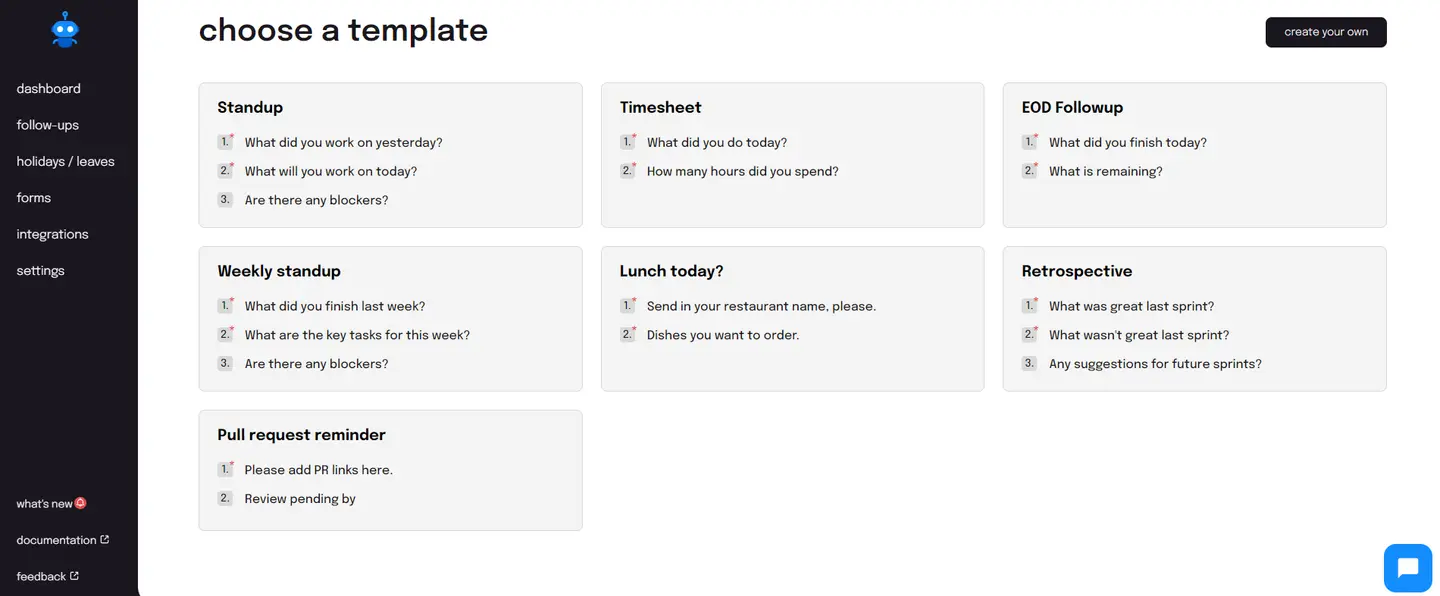
Sup understands that stand-up meetings may not be all that you would want automated. So, it provides you with a range of follow-up templates that can be used for varying purposes-work and recreational. You will find a template for your retrospective meetings, just as you will find one for the team lunch. With the ability to create a follow-up from scratch, Sup provides you with another possibility to run a follow-up as you wish.
#2 Standup Alice
Who is it best for?
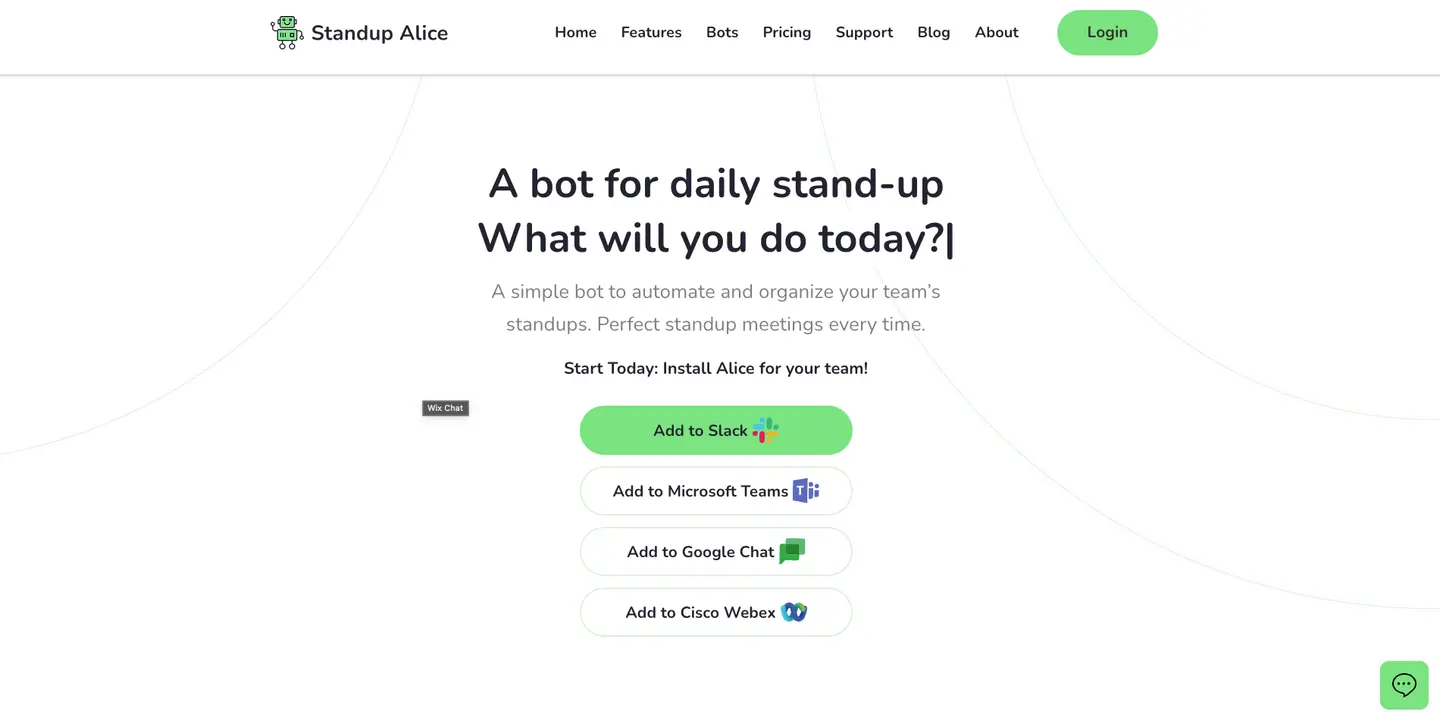
Standup Alice is great for businesses of all sizes that want to focus on simple standups without any additional abilities.
Key features
- 1.It allows you to pause standups manually.
- 2.It sends reminders to participants before and after the scheduled stand-up time.
- 3.The bot can be used for different functions using simple commands on Slack.
#3 Standuply
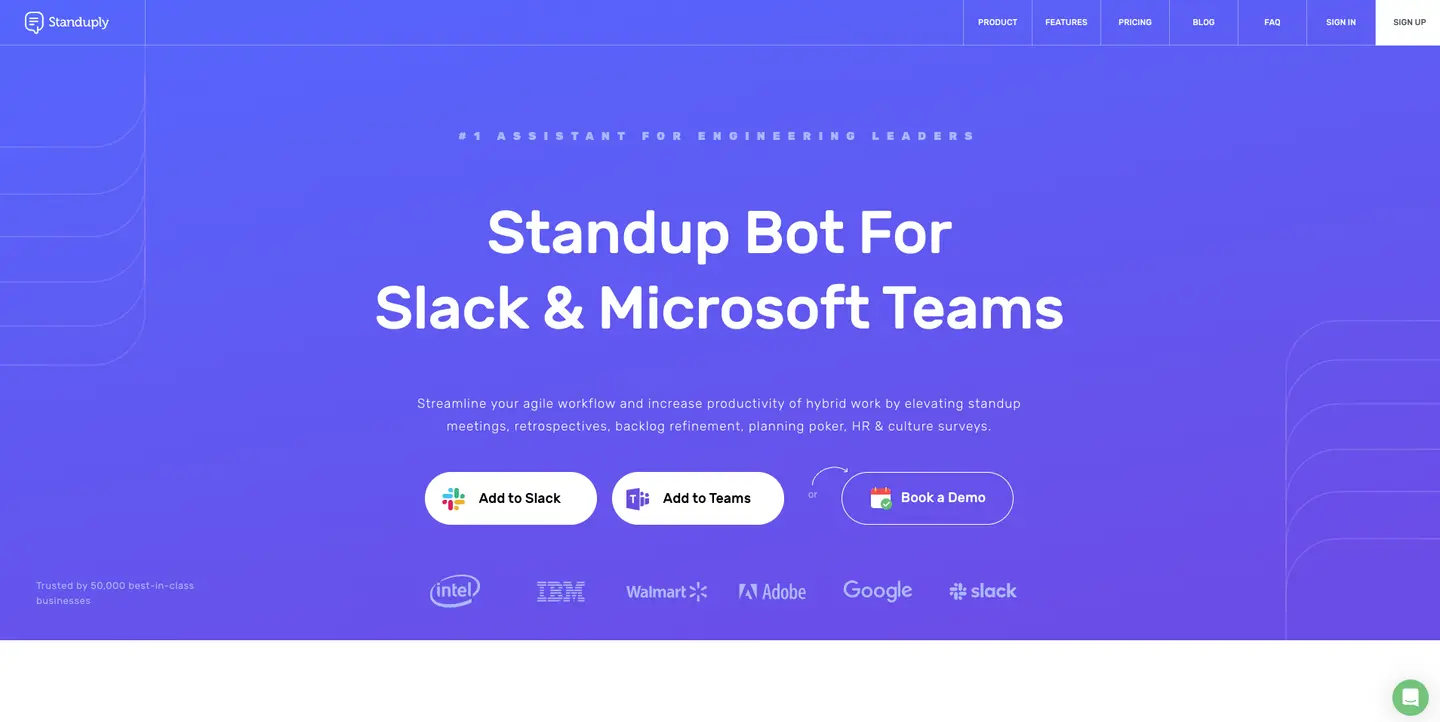
Standuply is a stand-up bot that is designed to provide both manual and automated stand-up meetings.
Who is it best for?
Standuply is best for enterprises that come with large budgets and that need standups (text, video, and audio) to fulfill their unique communication needs.
Key features
- 1.It provides templates for alternative approaches to stand-ups.
- 2.It offers conditional questions.
- 3.It offers an expert Q&A system for teams.
Conclusion
The search for the best Slack stand-up bot for your engineering team is an ongoing one. You may need to change when you find your team's needs and requirements changing. This is why it is always best to start with the right one so that you will not have to change much and your team too does not need to go through a learning curve time and again. The above article was an attempt to do just that-to make your search easier and stop it once and for all!