An employee expense reimbursement process should be simple: someone spends money on an approved work expense, submits the details, and gets paid back. Yet in many workplaces, a perfectly ordinary taxi receipt can trigger an extraordinary number of messages. Who approves it? Where does the receipt go? Was it already paid?
A clear process answers those questions. It explains what employees can claim, gives managers consistent approval rules, and helps finance maintain reliable records. This guide explains how to set up a practical reimbursement workflow, including the policy, submission form, review steps, payment process, and ongoing improvements.
What Is an Employee Expense Reimbursement Process?
Employee expense reimbursement is how a company repays employees for eligible business costs they have paid personally. Common examples include work-related travel, client meals, approved software, and office supplies.
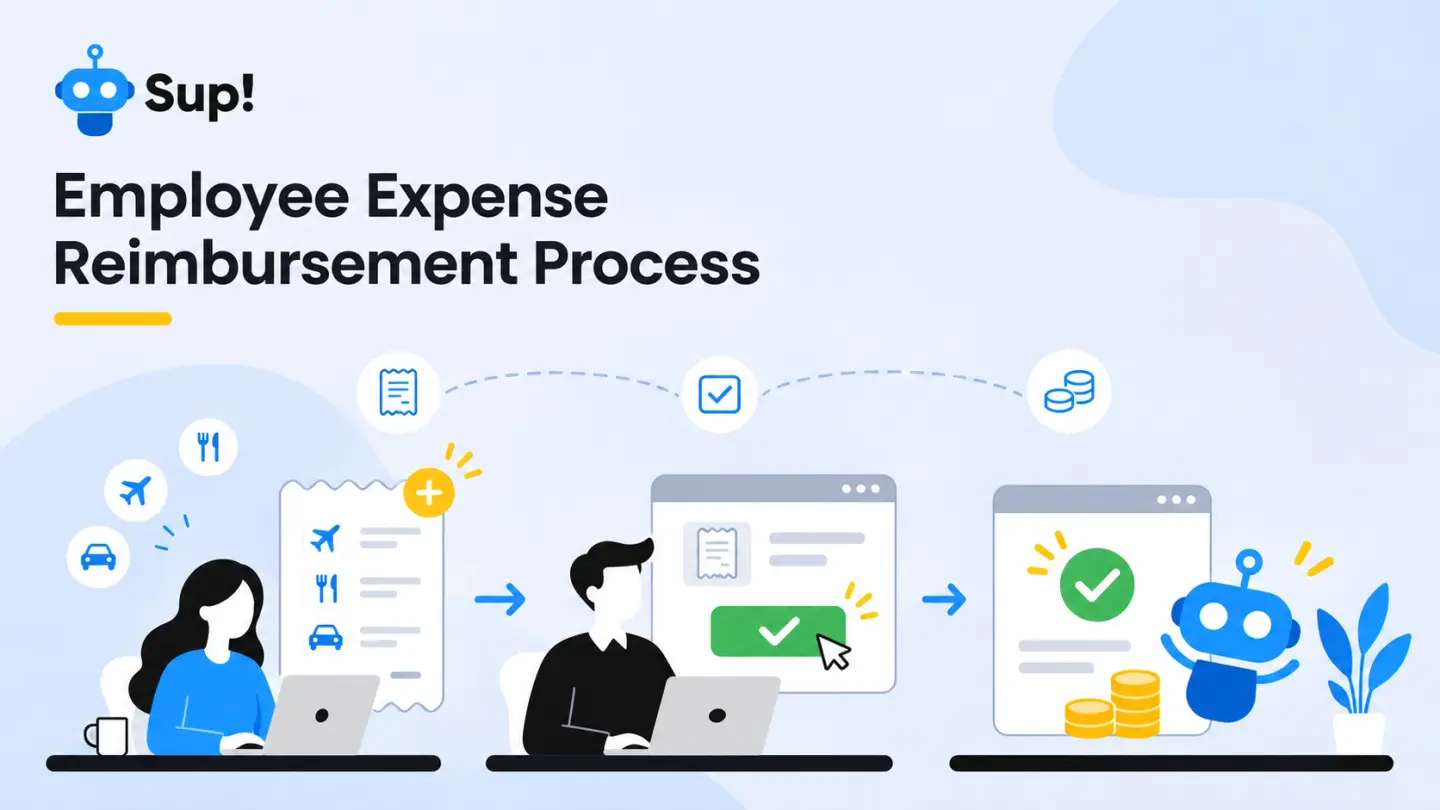
The process typically follows one straightforward path:
Expense incurred → Claim submitted → Manager approves or rejects → Finance verifies approved claims → Payment made → Record closed
Approval and payment are distinct steps. A request can be approved without the employee having been reimbursed yet.
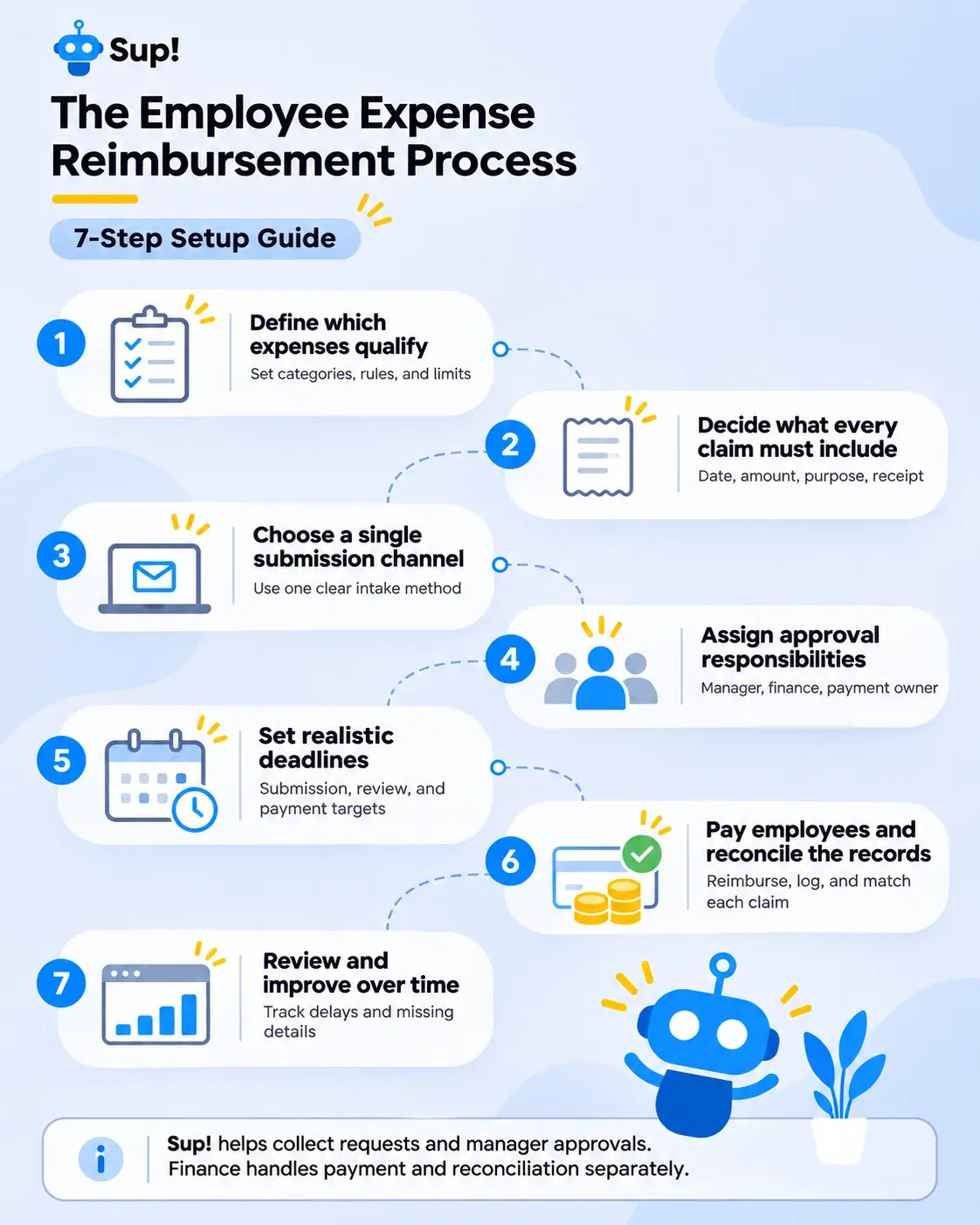
How to Set Up an Employee Expense Reimbursement Process
1. Define which expenses qualify
Start with an expense reimbursement policy that explains what the company will and will not cover. Include common categories such as transportation, accommodation, meals during approved travel, home-office equipment, and job-related subscriptions where applicable.
For each category, clarify whether employees need advance approval, whether spending limits apply, and which evidence they must provide. A policy might, for example, require manager approval before booking travel above a specified company-set threshold.
2. Decide what every claim must include
Create one standard submission format so reviewers receive the same information each time. Useful fields include:
- Employee name and department
- Date of purchase and submission
- Expense category and business purpose
- Amount, currency, and applicable tax details
- Receipt or invoice reference and supporting documentation
- Project or cost center, if relevant
- Prior approval reference, where required
Sensitive financial or personal details should be handled through an appropriately restricted system, not a public team channel. If a receipt is missing, document what alternative evidence is acceptable and who may approve an exception.
3. Choose a single submission channel
Claims scattered across emails, direct messages, and spreadsheets are difficult to coordinate. Give employees one clear place to submit reimbursement requests, and explain where the organization separately records payments and outstanding claims.
If your team already coordinates work in chat, a form-based approach can reduce unnecessary back-and-forth. Sup!'s reimbursement forms let employees submit expense details through Slack or Microsoft Teams, with managers approving or rejecting submitted requests. Sup! does not verify receipt validity, initiate payments, or provide separate payment-processing statuses. Finance should handle those steps in an appropriate finance or accounting system.
4. Assign approval responsibilities
Every request needs an owner. Decide who checks the business justification, who verifies the supporting evidence, and who authorizes payment. These responsibilities may belong to different people.
A simple model is:
| Stage | Suggested owner | Main question |
|---|---|---|
| Business review | Employee's manager | Was the expense necessary and allowed? |
| Policy and documentation check | Finance or operations | Is the claim complete and consistent with policy? |
| Payment authorization | Authorized finance approver | Is this claim cleared for payment? |
Where practical, separate submission, approval, and payment duties so no one controls the entire transaction without oversight.
5. Set realistic deadlines
Employees need to know when to submit expenses and when to expect reimbursement. Publish a submission window, review target, and payment schedule. For example, a company might ask employees to submit claims within 30 days, have managers review them within three working days, and pay approved claims in the next scheduled payment run.
Those figures are illustrative, not universal standards. Choose timelines that match your operations and any applicable legal requirements. Also explain what happens when a request is incomplete: does the review clock pause while the employee provides a missing receipt?
Keep the distinction clear: Sup! supports manager approval or rejection of a submitted request. If your organization needs additional stages such as Needs information, Payment initiated, or Paid, track those separately in its finance or accounting system. Define who updates those records and how employees receive payment updates.
6. Pay employees and reconcile the records
Approval is not the same as reimbursement. Once a claim is authorized, finance must arrange the payment through the company's approved payroll, accounts payable, or other payment process, as appropriate for local rules.
Record the payment date, amount, currency, method, and transaction reference. Then match the payment to the approved claim so it cannot accidentally be paid twice. Keep rejected and adjusted claims in the audit trail rather than quietly deleting them.
Accounting and tax treatment can vary by jurisdiction and expense type. Consult your finance or tax adviser about deductible expenses, taxable benefits, payroll reporting, retention periods, and cross-border reimbursements. A well-organized form makes the workflow easier; it does not determine whether an expense is legally reimbursable or tax-free.
7. Review and improve the process
Once the workflow is running, watch for friction. Are employees repeatedly choosing the wrong expense category? Are approvals stuck with unavailable managers? Does finance spend too much time requesting missing documentation?
Track time from submission to payment, missing documentation, and overdue approvals. Review patterns periodically and revise the form or policy accordingly.
Example: A Travel Expense From Start to Finish
Imagine Maya attends an approved client meeting and pays $48 for a taxi using her personal card.
She submits a reimbursement request with the receipt, travel date, amount, and a short explanation of the expense.
Her manager reviews the request to confirm that the expense is work-related and follows company policy. Once approved, the finance team verifies the supporting documents, processes the reimbursement, and records the payment.
A few days later, Maya receives her $48 back. The finance team marks the reimbursement as paid in its financial records, and the request is officially closed.
If Maya forgets to attach the receipt, the manager or finance team simply asks her to provide it before moving forward.
No endless email threads, no guessing who needs to approve what, and no wondering whether the reimbursement has been processed.
Common Reimbursement Mistakes to Avoid
No written policy. Employees make inconsistent assumptions, and managers apply different standards. Publish a short policy with examples and clear exceptions.
Too many submission methods. A claim sent in a direct message can easily be overlooked. Keep one official intake channel.
Unclear ownership. Requests stall when everyone assumes someone else is handling them. Assign named roles and backups.
Treating approval as payment. A manager’s approval in Sup! does not mean money has arrived. Track payment confirmation separately in finance records.
Sharing sensitive claims too widely. Receipts can reveal personal details. Restrict access and apply suitable retention and security practices.
Conclusion
A good reimbursement process is not about making employees complete more paperwork. It is about making a necessary task feel predictable. Define eligible expenses, standardize submissions, assign reviewers, set clear deadlines, and close each claim only after payment is confirmed.
Start with the simplest system that supports your team, then add controls as complexity grows. If employees already work in Slack or Microsoft Teams, Sup!'s forms can simplify request collection and manager approve-or-reject decisions. Finance can then verify documentation, process reimbursements, and record payment status in its existing systems. Employees know where to submit, managers know what to review, and finance has a clear handoff.
 Add to Slack
 Add to Teams
FAQs
What expenses can employees usually claim?
Common categories include approved business travel, accommodation, client-related meals, office supplies, and work-related software. Eligibility depends on your company's written policy, the purpose of the purchase, and local requirements. State category limits and preapproval rules clearly so employees know what is covered before spending.
How long should employee reimbursements take?
There is no single timeline that works for every company or jurisdiction. Set a published target for submitting, approving, and paying claims, then check it against applicable employment and tax requirements. Explain how employees can ask about an outstanding request or obtain a payment update. Any detailed payment or missing-documentation tracking should be maintained separately from Sup!’s approve-or-reject form workflow.
Can a company reimburse an expense without a receipt?
Sometimes, but the answer depends on company policy and applicable accounting or tax rules. Establish an exception procedure that documents the business purpose, amount, reason the receipt is unavailable, alternative evidence, and authorized approval. Avoid treating a missing receipt as automatically acceptable or automatically disqualifying in every situation.
Do small businesses need expense reimbursement software?
Not necessarily. A simple form and controlled spreadsheet can work for a small volume of claims if they preserve supporting records, approvals, and payment references. Dedicated tools become more useful as volume, locations, currencies, or compliance needs increase. Choose based on actual workflow complexity rather than team size alone.