
Async standups & check-ins for Slack · MS Teams · Webex
Follow-ups in Slack, MS Teams, and Webex
Run daily standups and regular check-ins without the meeting. Sup asks your team a few questions on a schedule, posts the answers to a channel, and keeps an anonymous read on the team's mood.
 Add to Slack
 Add to Teams
 Add to Webex

Used by thousands of great companies all over the world











Mood tracking
Notice how the team is really doing
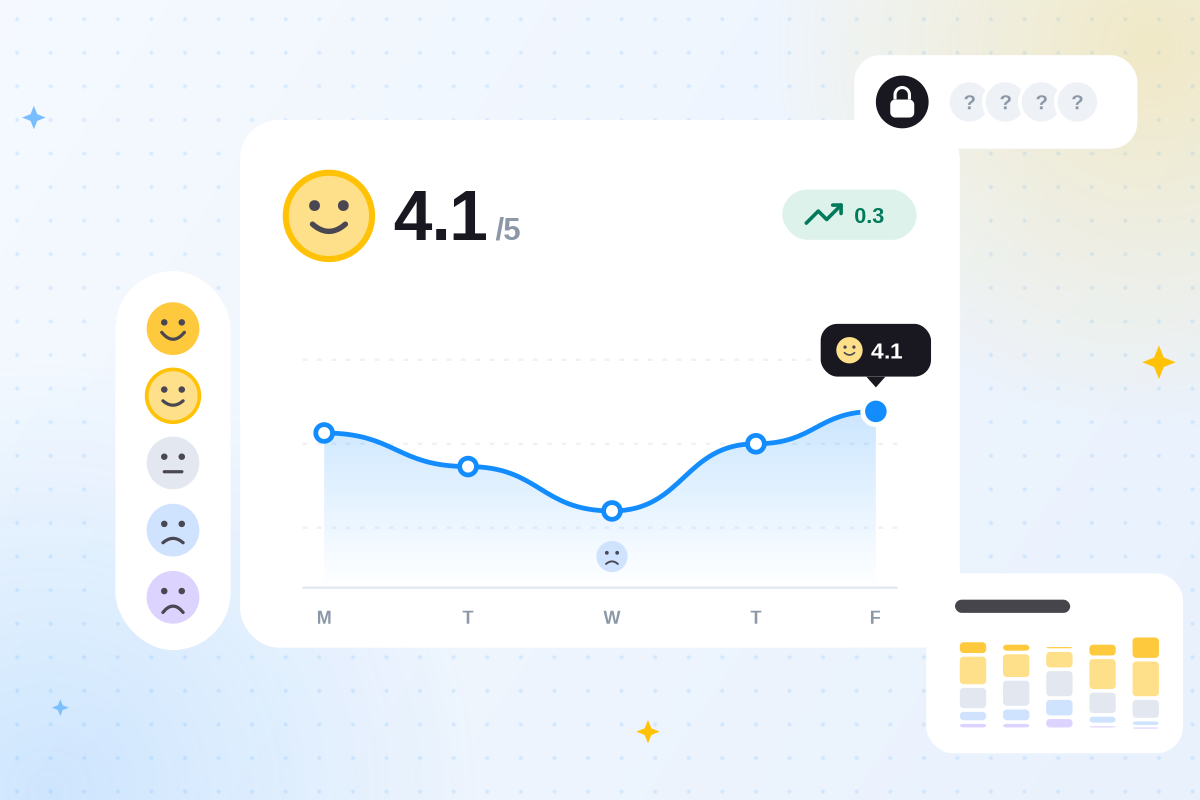
Turn on mood tracking and every response ends with one more question: “How are you feeling today?” Members pick one of five moods. Nobody sees an individual's mood, managers included. You see the team's average, day by day, so you notice a dip early.
- Available on every plan, for any follow-up.
- The team's average mood on each day's responses and in the daily summary.
- Anonymous everywhere: on the responses page, in the channel and in reports.
- A weekly mood chart in the channel, and mood names in your team's own words.Paid plans
Create a follow-up
Set up a check-in in a few minutes
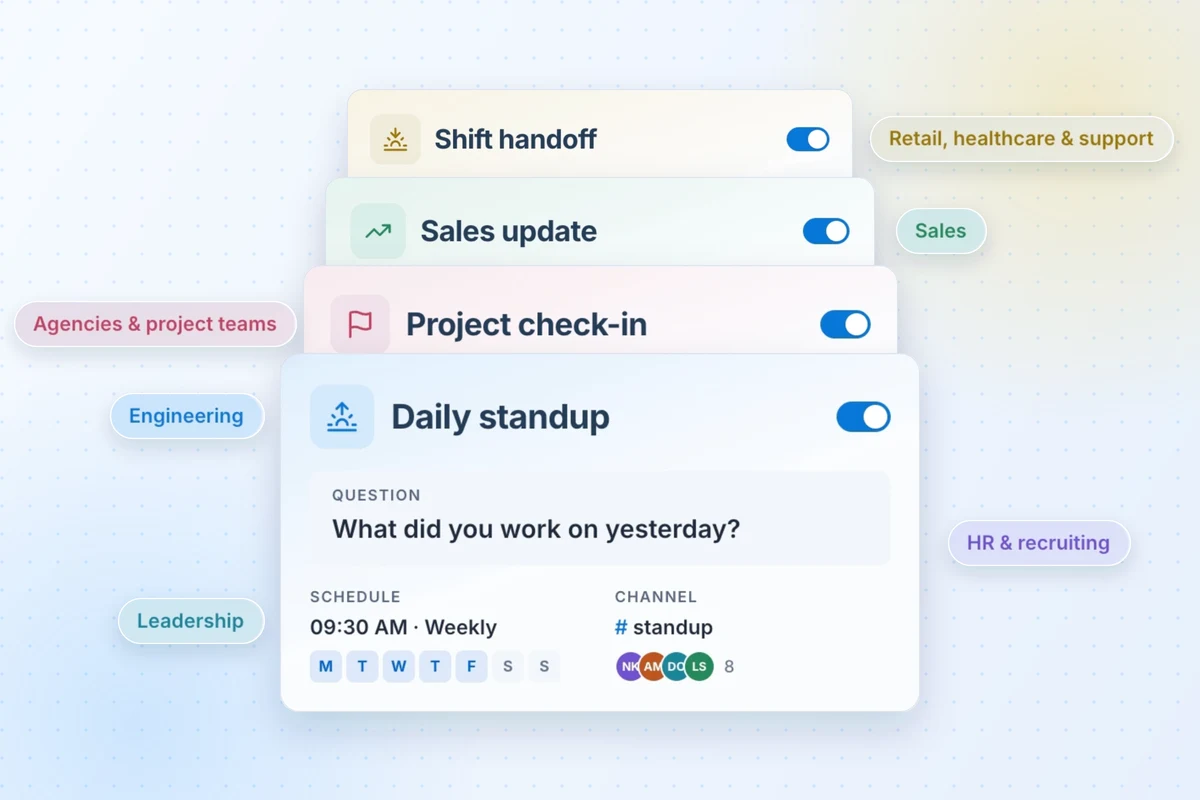
Start from a template or a blank follow-up, pick when it runs and where the answers go, then write the questions and what Sup says when it asks. You can change any of it later.
- Templates for standups, end-of-day updates, weekly check-ins, retrospectives and timesheets.
- Runs on your schedule, with automatic reminders for anyone who hasn't answered.
- Blocker questions that tag the people who need to act on them.
- More answer types, schedules and timezones, your own bot messages, and control over who can view and edit.Paid plans
Answering
Sup asks. Your team answers in a minute.
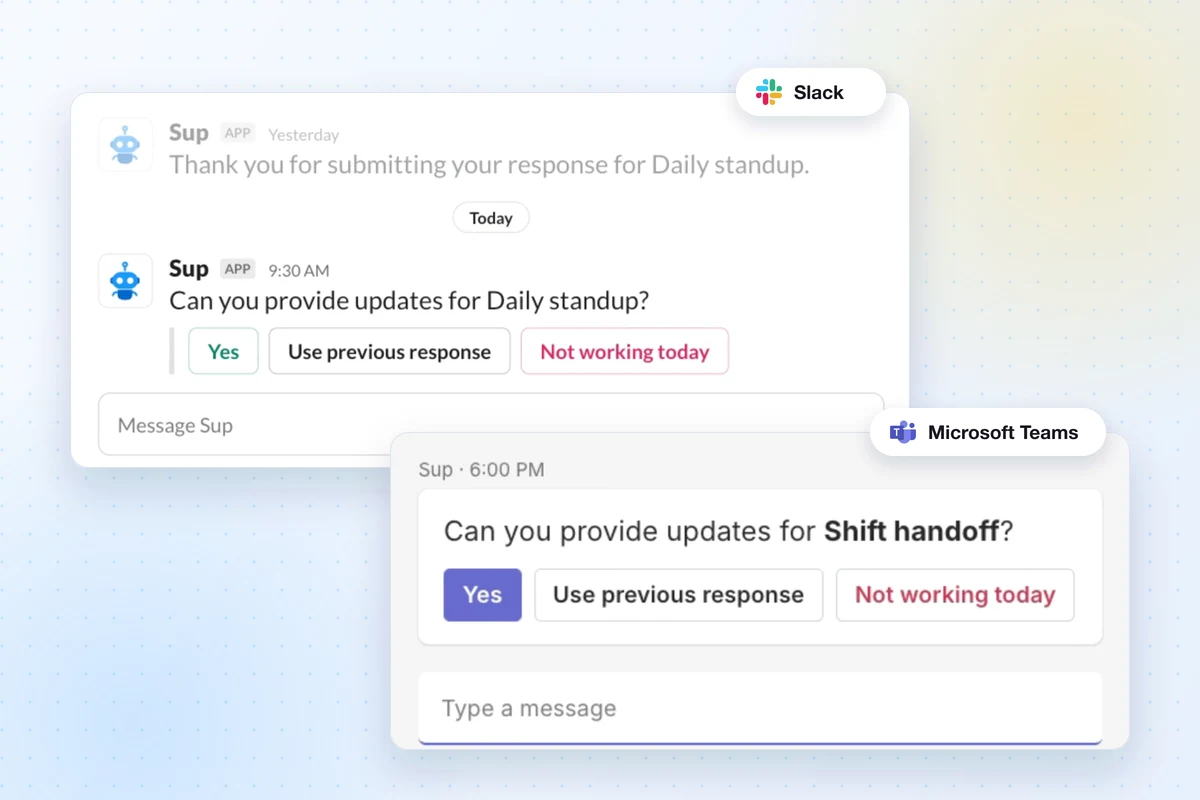
At the set time, Sup messages each member in Slack, MS Teams or Webex. They answer in a pop-up form, or in Slack just by chatting with Sup, one question at a time. Nobody has to open another tool or remember to post.
- Reuse their last answer and change only what's new.
- One click to say they're not working today.
- Edit an answer later, or catch up on a day they missed.
Responses
Every update, and who's still missing
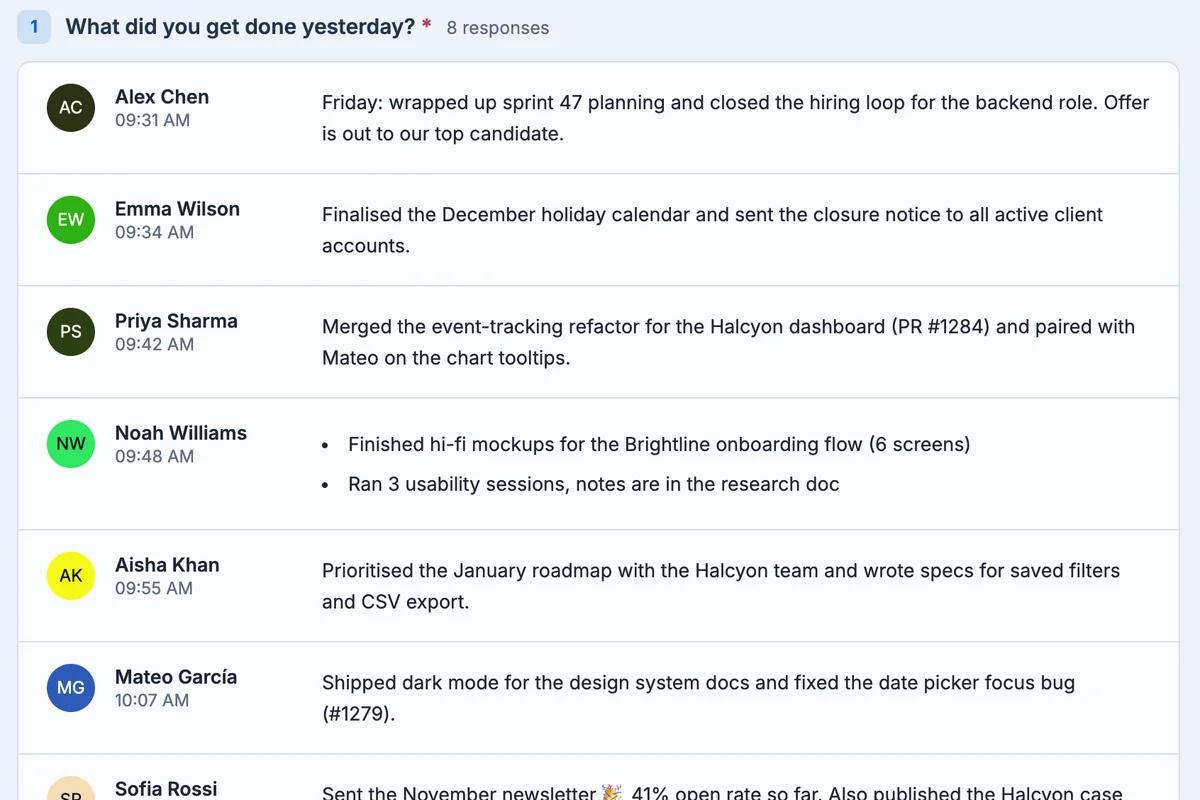
Each day's responses show who has answered, who hasn't yet and who's off. Read the answers grouped by question, or one card per person, with the day's blockers counted at the top.
- Remind everyone who hasn't answered in one click.Paid plans
- A daily summary in the channel two hours after the follow-up runs: who answered, who's pending, who's on leave and the team's mood.
- Open anyone's page to see their responses month by month.
Stats & reports
Stats and reports for every check-in
See how many people took part over time, and download every response for your records or your next review. All your follow-ups sit in one list, ready to run now, duplicate for a new team, pause over the holidays or delete. Past responses and reports stay available after you pause.
- Participation stats by week or month, and by year on paid plans.
- Download responses as an Excel file: per member, per week, or all in one sheet.
- Send each month's responses to Google Sheets.Paid plans

Works where your team works
Built into Slack, MS Teams, and Webex
No new tool to learn, no extra tab to check. Sup shows up in the chat app your team already lives in, so the standup gets done between messages, not in another meeting.
Free forever for 1 active follow-up with up to 15 members. Compare plans to see what each one includes.
The rest of the platform
Follow-ups are one part of Sup
The same app your team answers standups in also handles the other small, repeated things that keep a company coordinated.
Collect the same information, again and again
Requests, polls and anonymous feedback, collected in one form instead of by hand.
Forms, polls & requests
Manage time away without the spreadsheet
Requests, approvals, balances and a team timeline of who is off next week.
Leave & holiday tracking
See the pattern over time
Every answer and absence kept as history you can export or push to Google Sheets.
Reports, stats & exports