
Forms & approvals for Slack · MS Teams
Forms in Slack and MS Teams
Build forms and collect answers without leaving Slack or Microsoft Teams. Expense claims, requests, feedback, polls and sign-ups, with approvals built in.
 Add to Slack
 Add to Teams

Used by thousands of great companies all over the world









Create a form
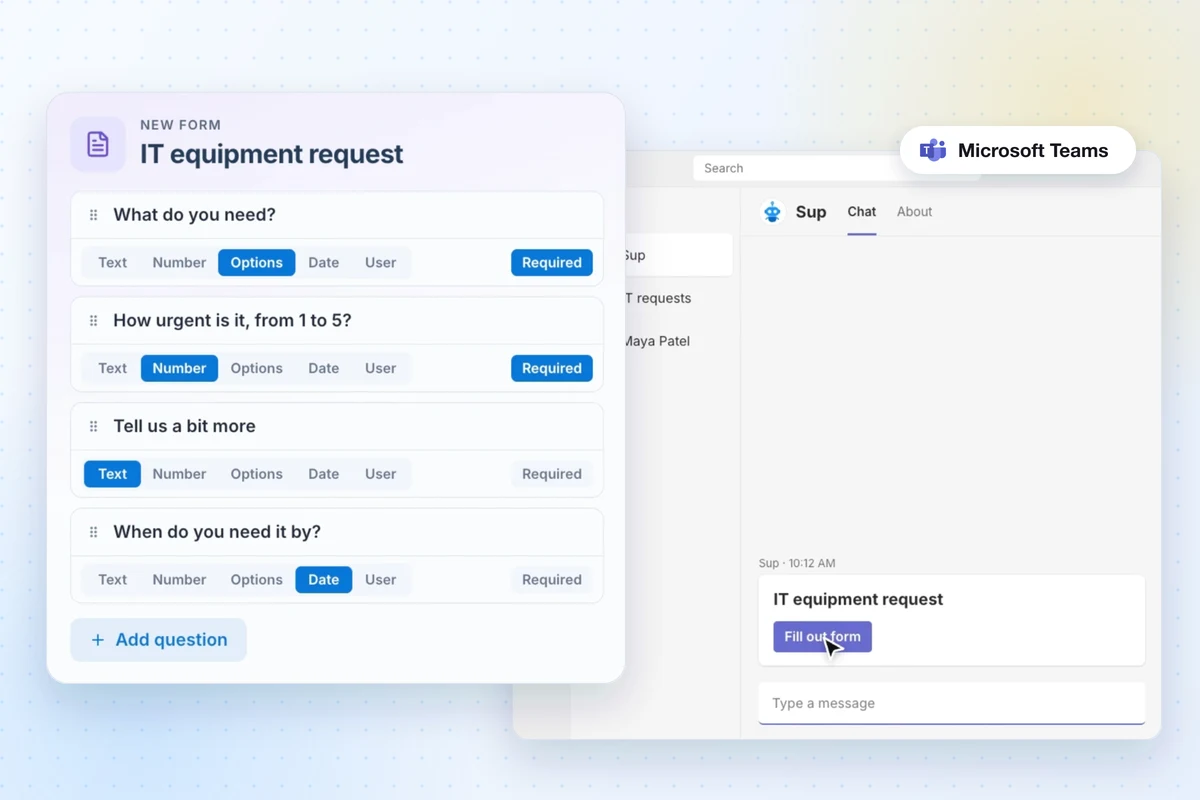
Build a form in a few minutes
Start from a template or a blank form, decide who sees the answers and who hears about them, add your questions, and share it where people work. You can change any of it later.
- Templates for equipment requests, expense claims, pulse surveys and polls.
- Answer types: text, number, options, date or a teammate.
- Anonymous answers, or more than one answer per person.
- Answers posted to a channel, with the right people told when someone submits.
Filling it in
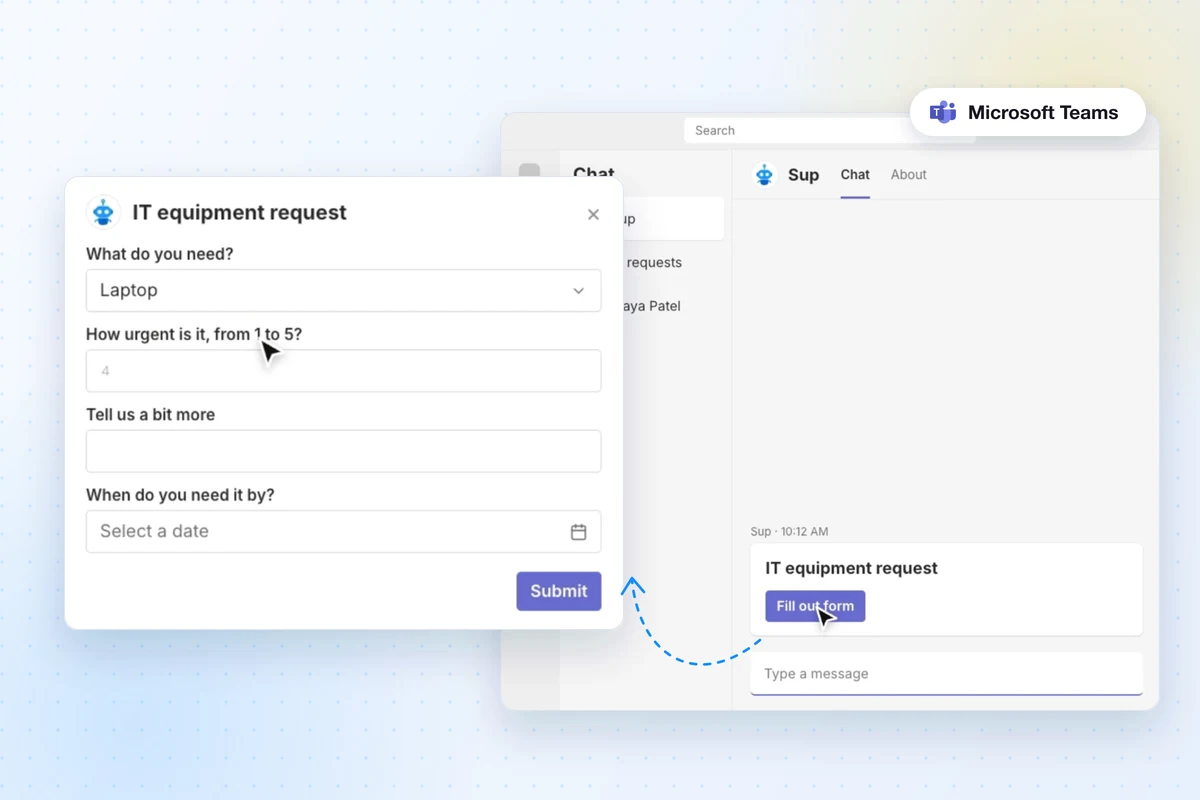
One click to open. A pop-up to answer.
People click “Fill out form” on Sup's message and answer in a pop-up, without leaving Slack or MS Teams. If the form is anonymous, the message says so.
- People can edit their answers until the response is approved.
- Fill it in from a shared link or the Sup dashboard too.
Approvals
Every response becomes a to-do
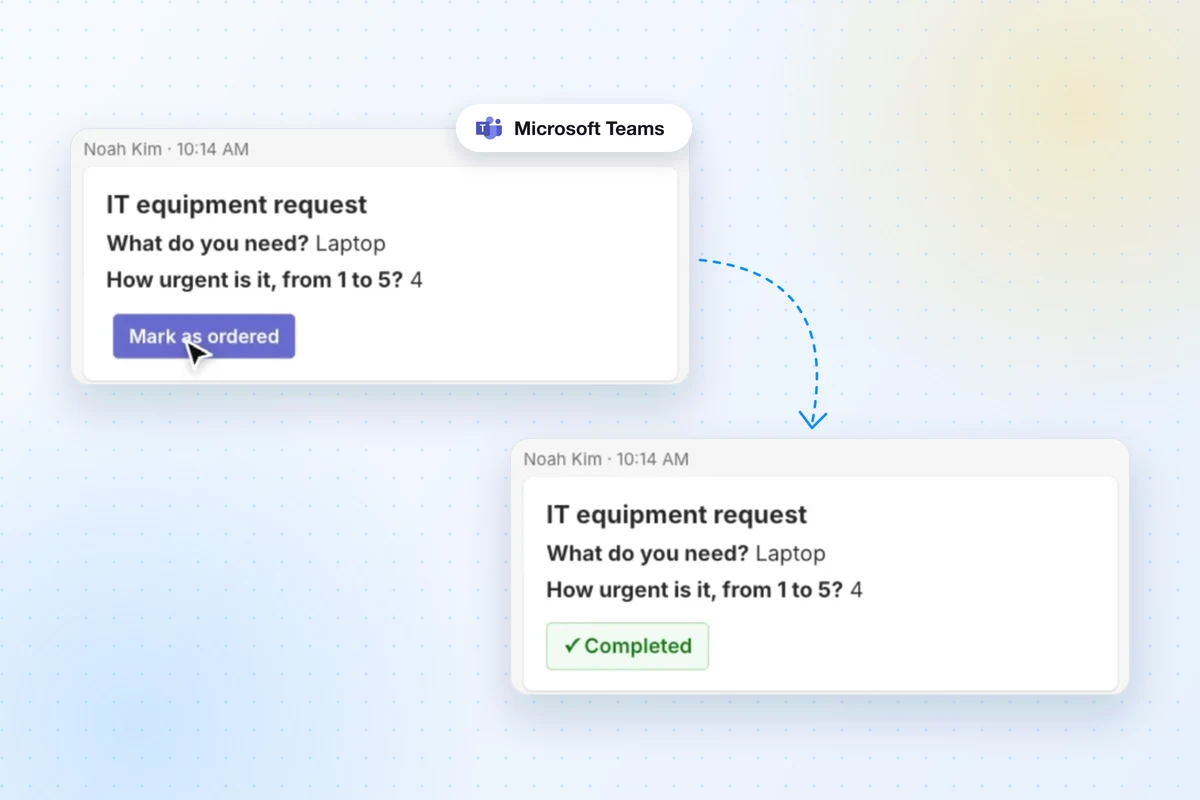
Turn on the approval flow and each response gets a button with your own label, such as “Mark as ordered” or “Paid”. Click it when the request is handled, and the list of responses works as a to-do list for whoever looks after it.
- Your own label on the button, to match how your team works.
- Filter to approved or not-yet-approved responses.
- The person who submitted it is told when it's approved.
Stats & reports
Stats and reports for every form
See every form with its description and how many responses it has. Review answers, see stats, and download reports. Pause a form when it's not needed, reactivate it later, duplicate it, or delete it.
- Stats question by question, with a chart for options and totals for numbers.
- Download every response as an Excel file, one row per response.
- Filter responses by member, unless the form is anonymous.

Works where your team works
Built into Slack and MS Teams
No new tool to learn, no link to dig up. Sup shows up in the chat app your team already lives in, so forms get filled in between messages, before anyone has to chase them.
Forms come with the Follow-ups & Forms and All-in-one plans. Compare plans to see what each one includes.
The rest of the platform
Forms are one part of Sup
The same app your team fills in forms in also handles the other small, repeated things that keep a company coordinated.
Keep everyone aligned
Recurring check-ins that replace the status meeting, answered in everyone's own time.
Daily & weekly follow-ups
Manage time away without the spreadsheet
Requests, approvals, balances and a team timeline of who is off next week.
Leave & holiday tracking
Notice how people are really doing
An anonymous read on how the team feels, tracked as a trend over time.
Anonymous mood check-ins
See the pattern over time
Every answer and absence kept as history you can export or push to Google Sheets.
Reports, stats & exports